Setting report filters
Permission level required: ✅ Entity Administrators and above
Written By RecruiterPal Helpdesk
Last updated 3 months ago
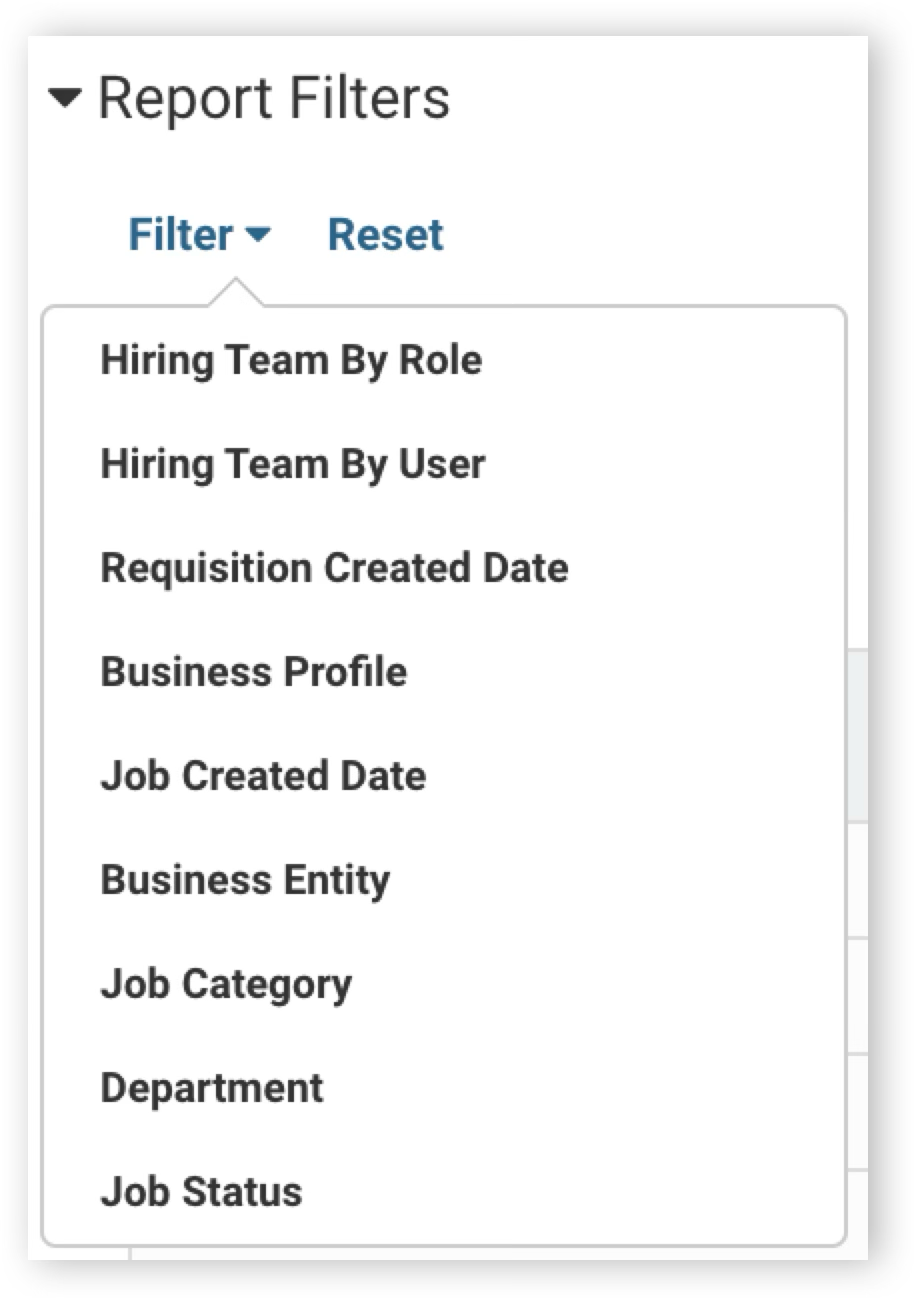
1. Click the drop down list on Report Filter in the related report
2. Click Apply to add the filter
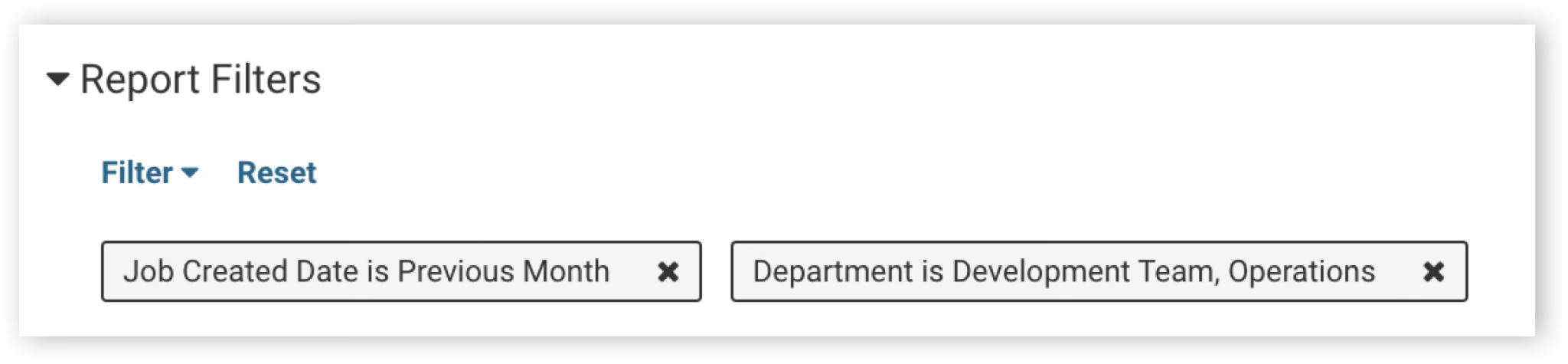
3. You can layer on multiple report filters to customize the data range selected
4. To delete filters, simply click on the cross icon to remove
Was this helpful?