Managing access report
Permission level required: ✅ System Administrators
Written By RecruiterPal Helpdesk
Last updated 3 months ago
By default, the system administrator has full access to the report template. For an entity administrator or user, the system administrator must grant permission to access the Report Management Module. To grant a user access to the report templates, follow these steps:
1. Click on building Icon > System Settings > Access Management
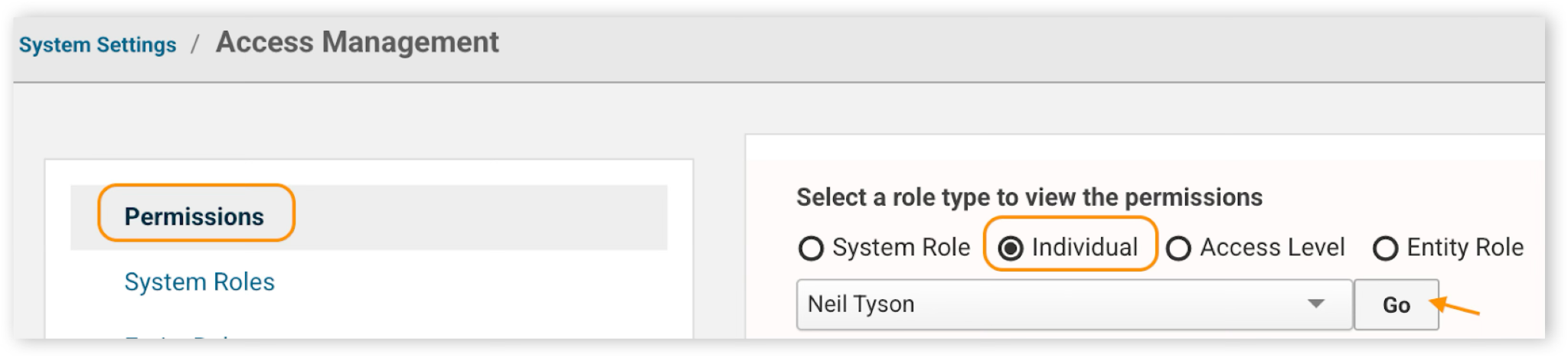
2. Click on Permissions > Click on Individual and key in the respective user’s name or select from the drop down list > Click Go
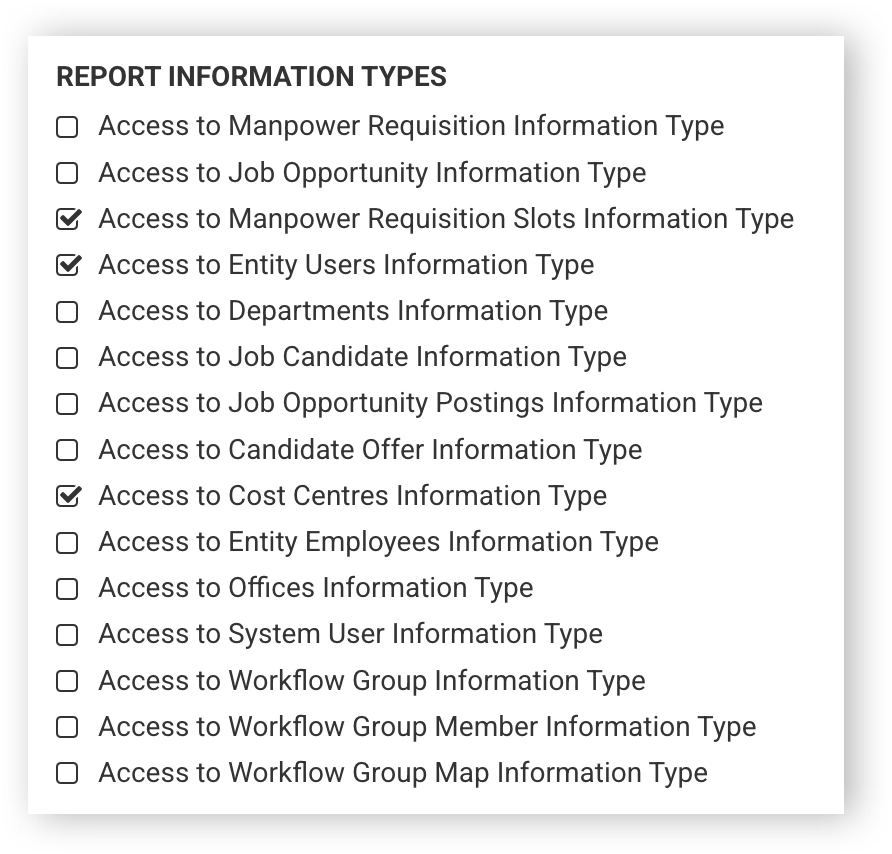
3. Under the Report section, check the checkbox for the related permissions > Click Update
Was this helpful?