Managing MergeFields
Permission level required: ✅ Entity Manager
Written By RecruiterPal Helpdesk
Last updated 3 months ago
1. Open desired Word document
2. Place the cursor where the merge field is desired
3. Right-click on the field and select Toggle Field Codes
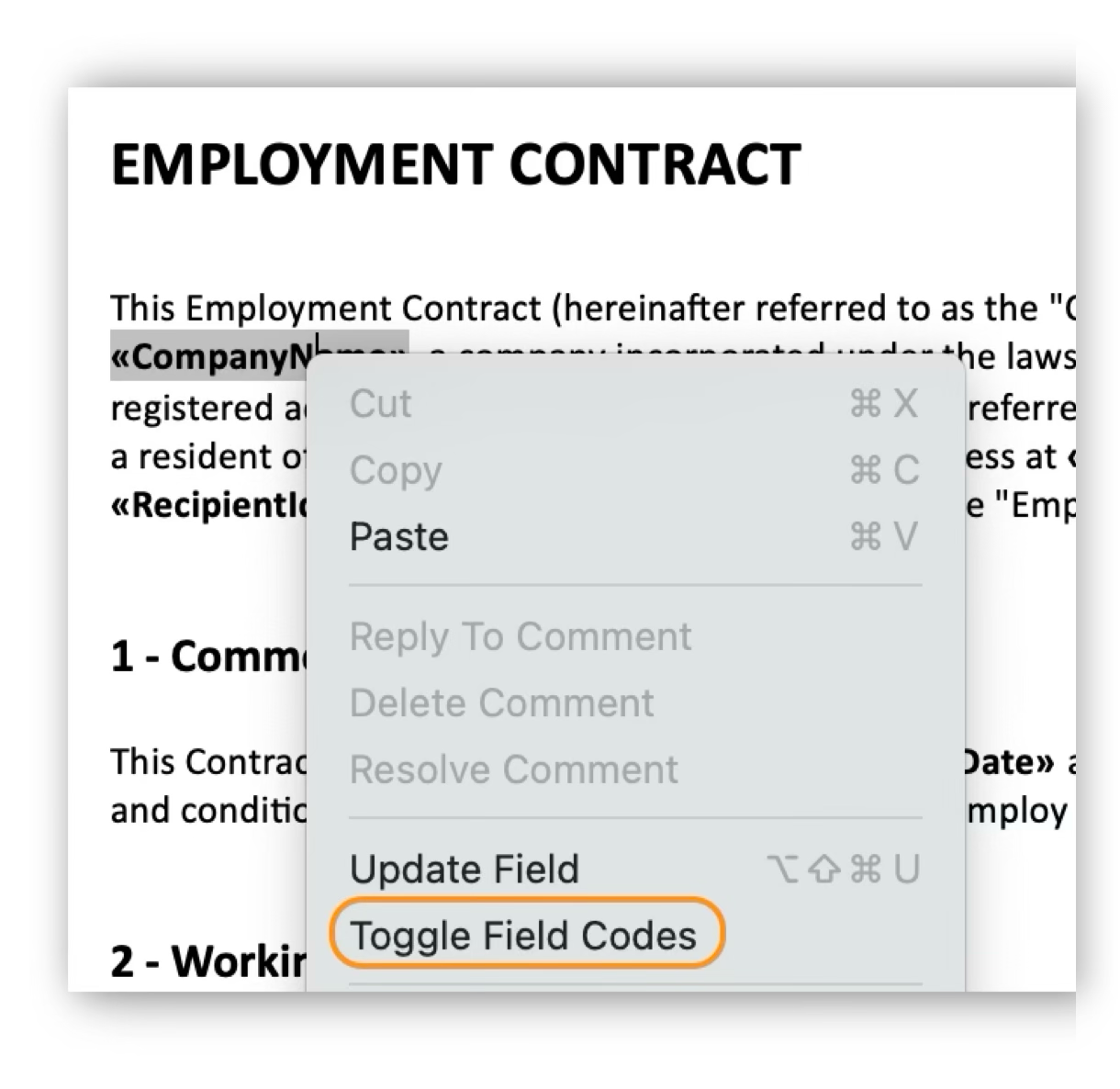
4. Type a short descriptive name in the Field name to map that field
5. Right-click on the field and select Update Field
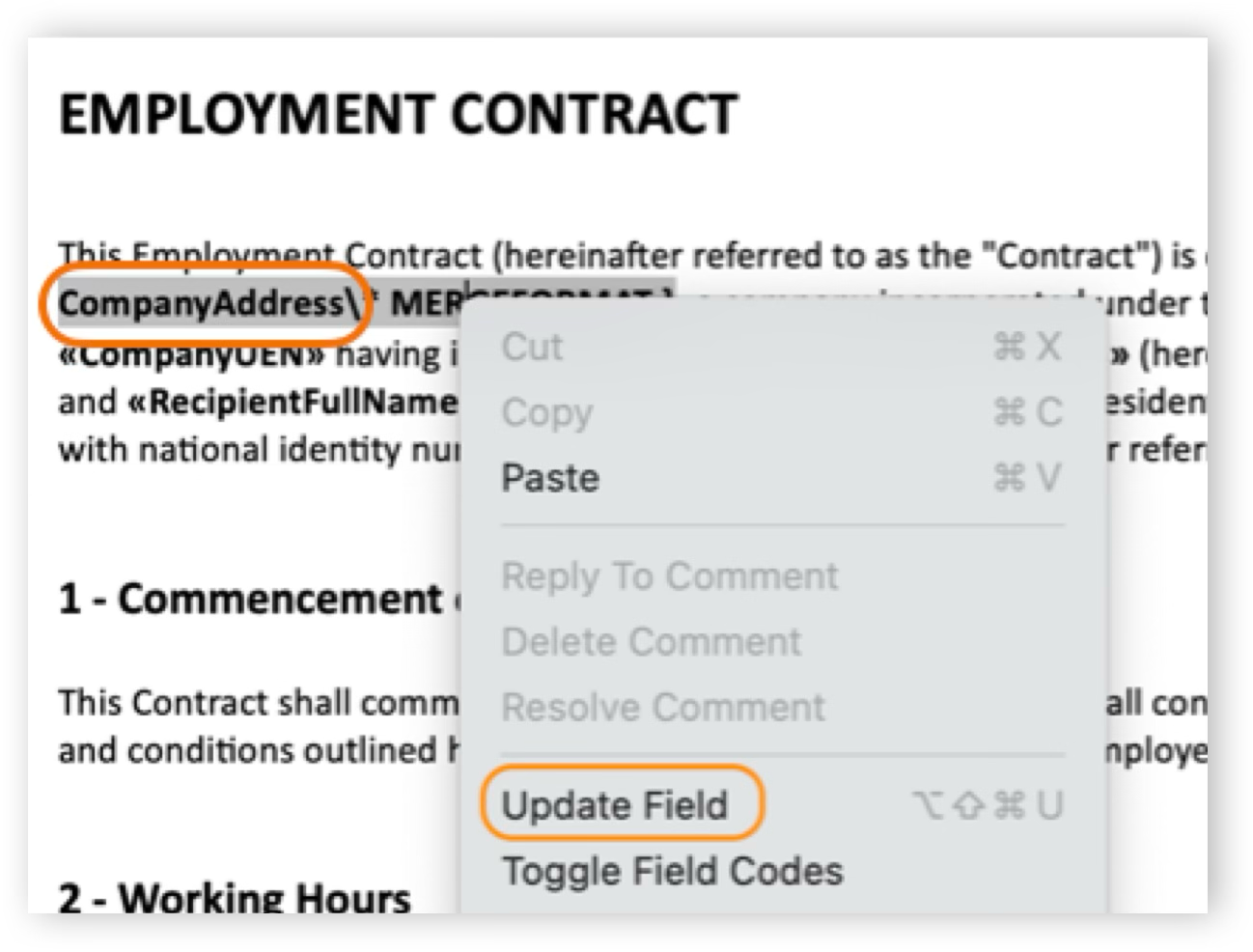
6. Save document when all fields are inserted
Please note that mergefields are predetermined as per your offer management module setup, and any additional or new mergefields will need to be setup by the technical team. Please approach your account manager for more information.
Was this helpful?