Scheduling an interview
Permission level required: ✅ System Administrators, Entity Managers, Job Owners, or Full Access
Written By RecruiterPal Helpdesk
Last updated 3 months ago
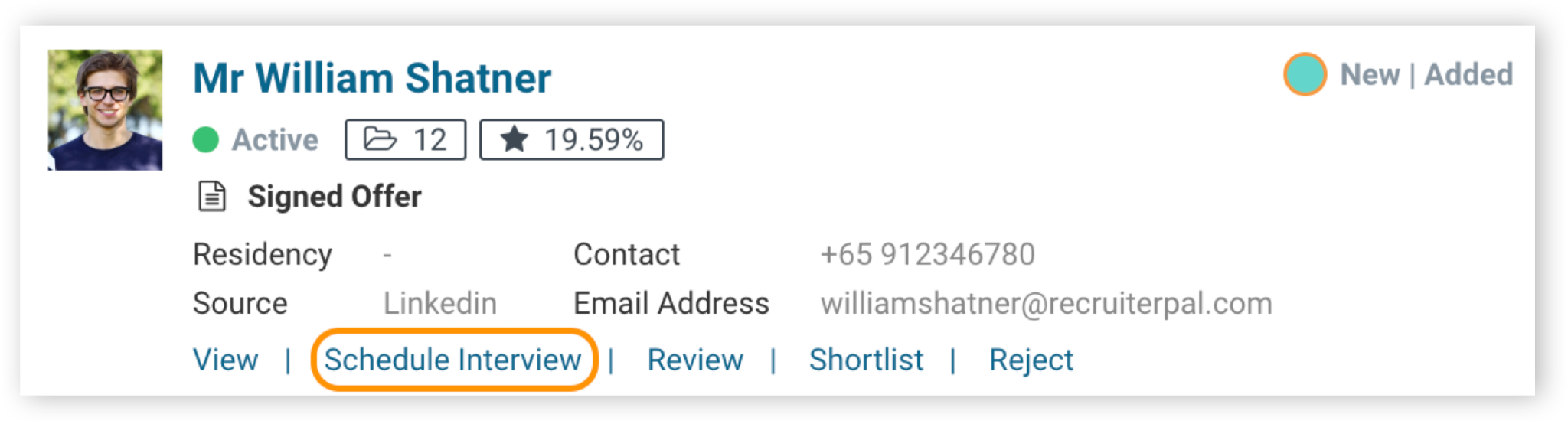
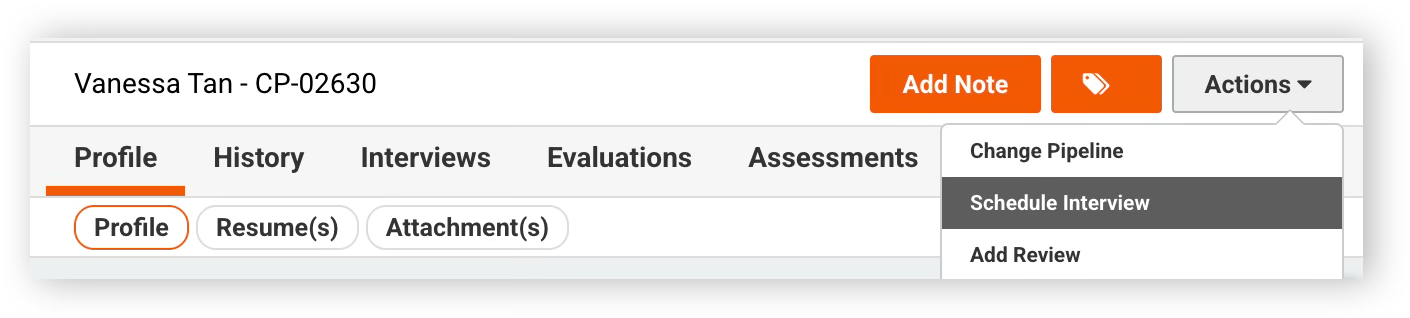
Schedule and manage candidate interviews easily within RecruiterPal. To get started on scheduling an interview with the candidate, you can either click on the “Schedule Interview” shortcut link on the candidate profile column, or click on the “Actions” button and select “Schedule Interview”.
Input in all the necessary information in the interview dialog screen.
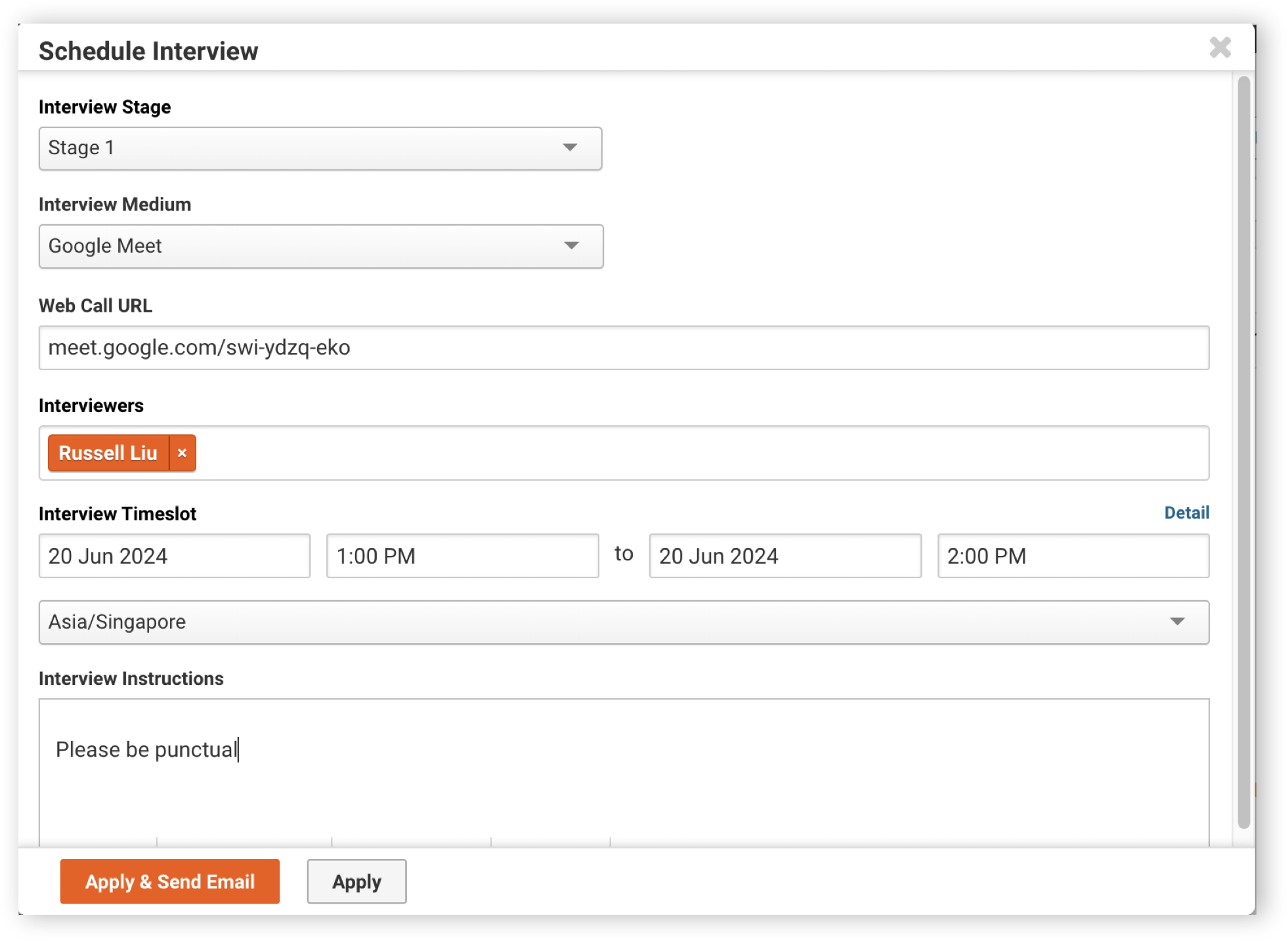
• To create an interview appointment without sending an invitation to the candidate.
Click Apply
• To create an interview appointment and send an invitation to the candidate.
Click Apply & Send Email
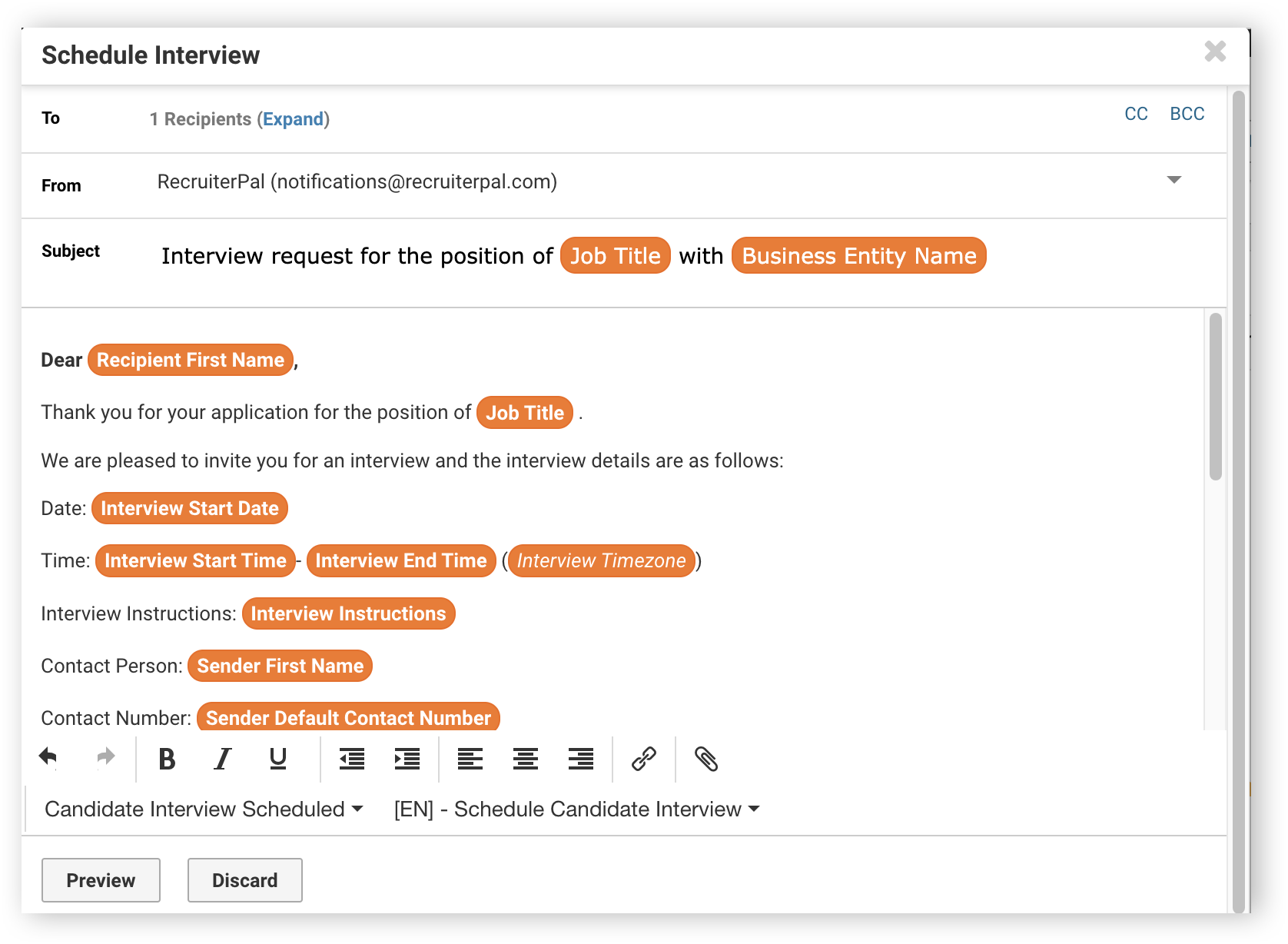
Indicate the sender then select the email Template Type as Candidate Interview Scheduled and Template as Scheduled Candidate Interview. The system will automatically populate the appointment details of the interview schedule for you. Click on “Preview” button to see the preview of the email, before clicking “Send”.
Was this helpful?