Manage interviewers
Permission level required: ✅ System Administrators, Entity Managers, and Job Owners
Written By RecruiterPal Helpdesk
Last updated 3 months ago
You can update interviewers for interviews that have already been scheduled.
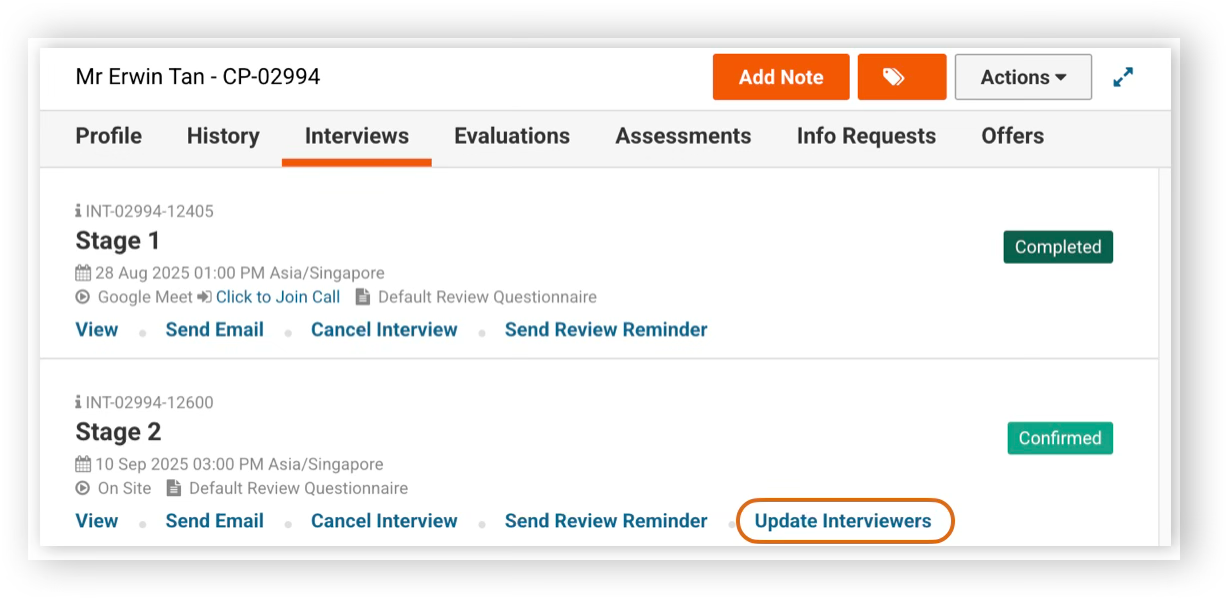
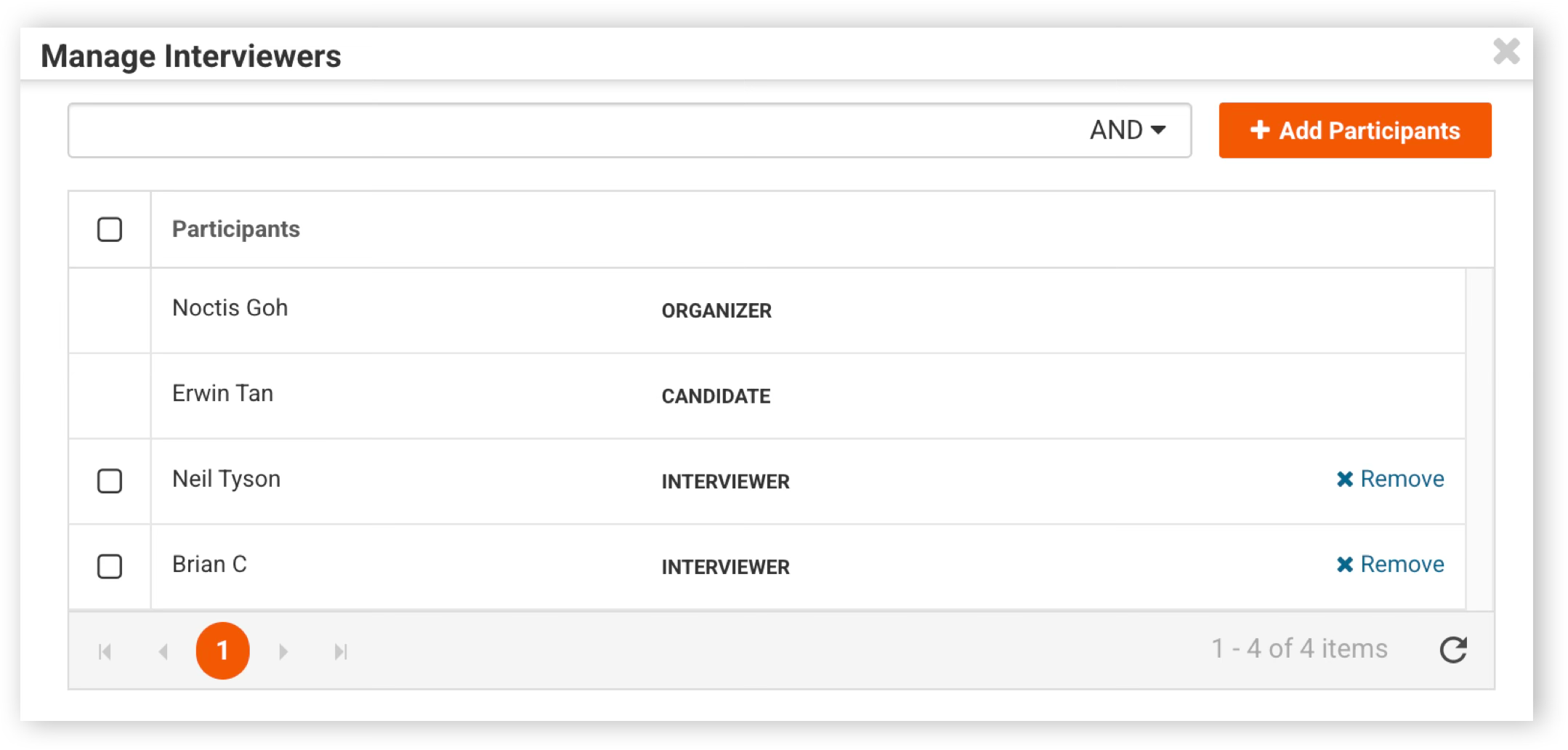
Navigate to the relevant candidate and click View. In the right-hand panel, open the Interviews tab, then click Update Interviewers. To add new interviewers, select Add Participants and choose the users you wish to include in the interview panel.
To remove interviewers, click Remove next to the participant you want to remove. If you need to remove multiple interviewers at once, tick the checkboxes next to their names, or select the Participants checkbox at the top to select all, then click Remove.
Was this helpful?