Managing Workflow Members
Permission level required: ✅ Entity Manager
Written By RecruiterPal Helpdesk
Last updated 3 months ago
1. Click on the building icon > Business Entity > Manage Settings (for each Business Entity) > Workflow > Workflow Groups
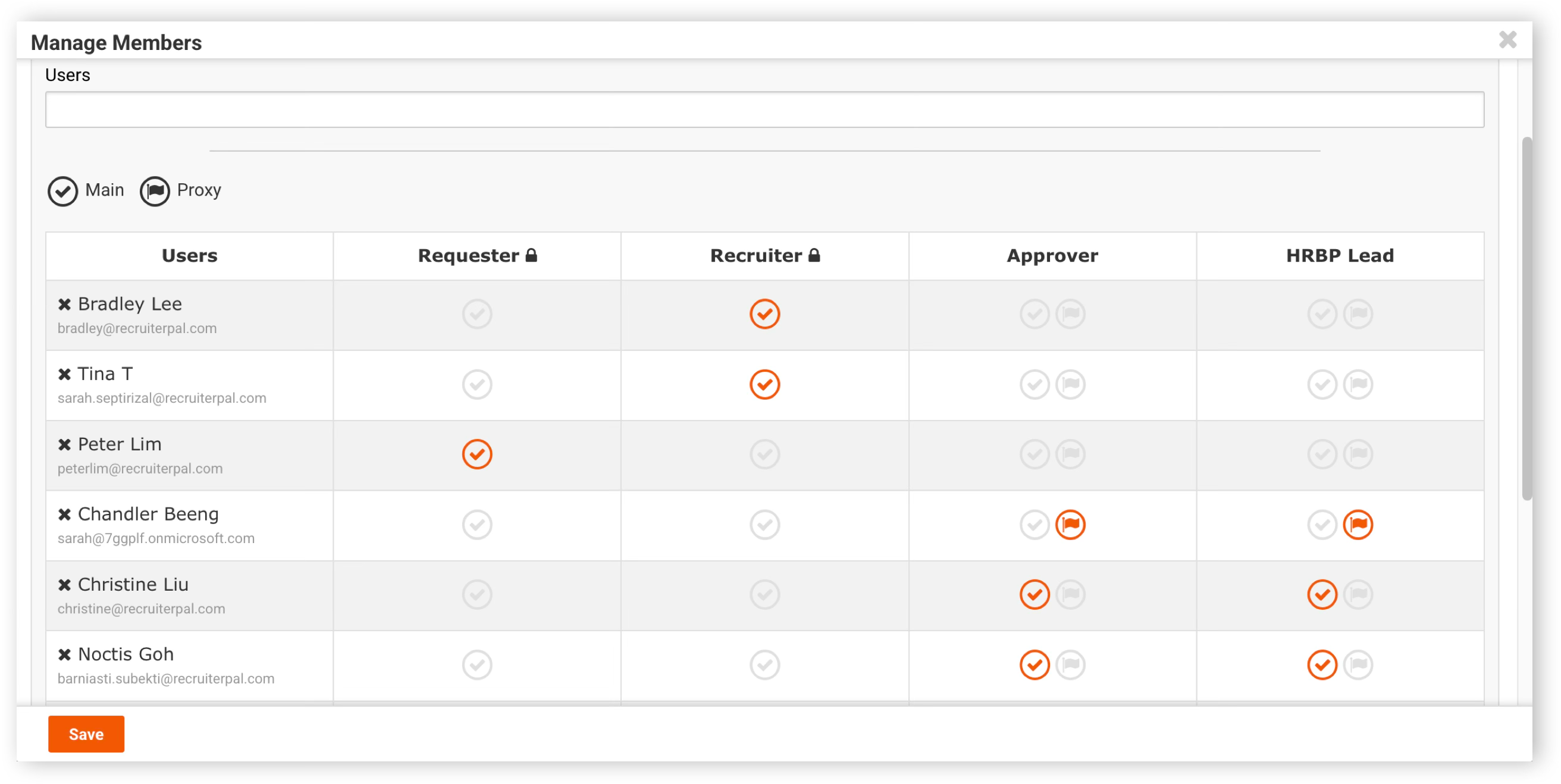
2. Click on Manage Members to modify the members in the manpower requisition workflow group
3. Accord existing members with additional roles or enter in the Users search bar to add new members to the group > Click Save to commit changes
Was this helpful?