Managing Workflow
Permission level required: ✅ Entity Manager
Written By RecruiterPal Helpdesk
Last updated 3 months ago
1. Click on the building icon > Business Entity > Manage Settings
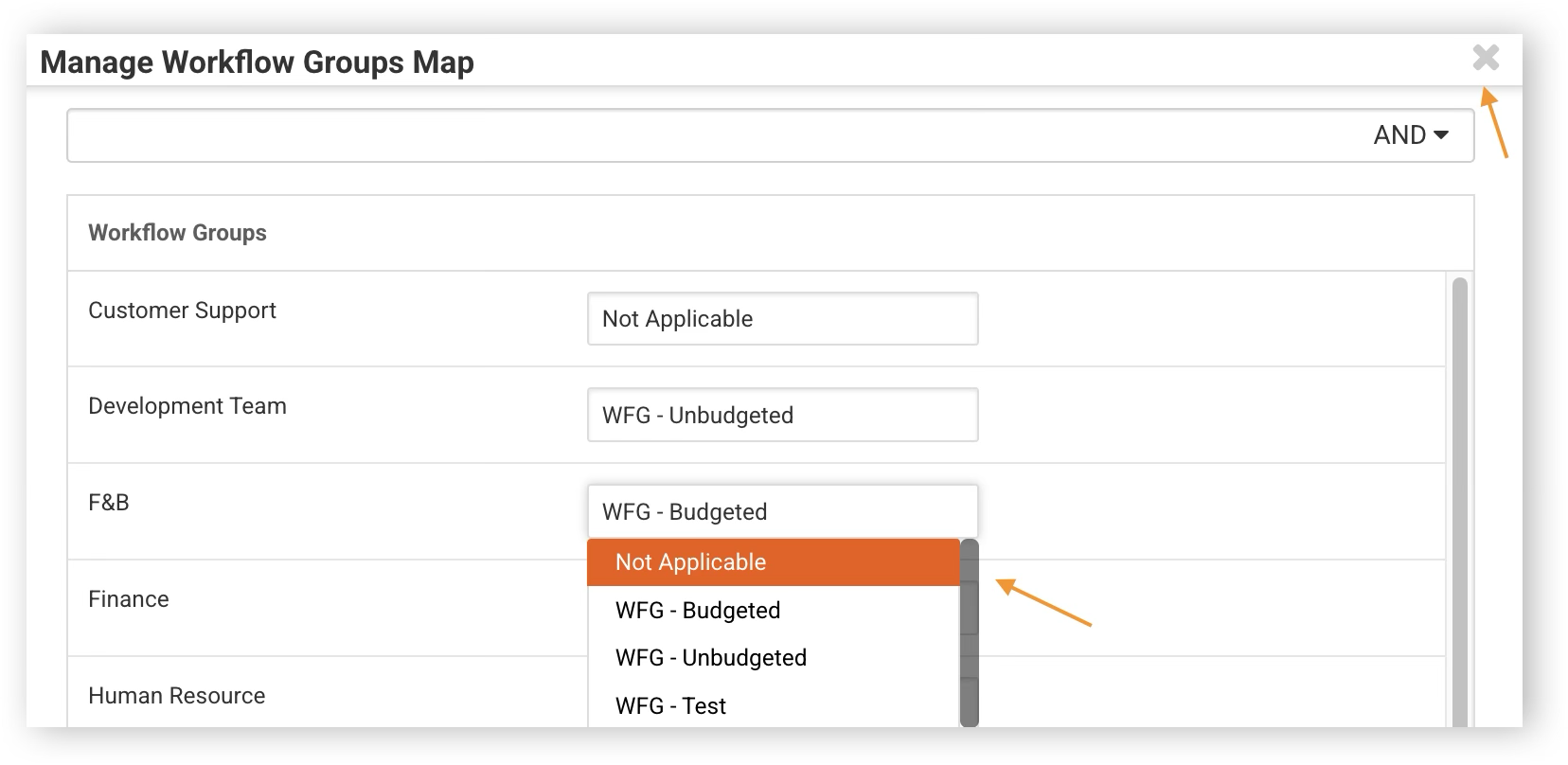
2. Workflow > Workflow Settings > Manage Workflow Group Maps
3. Make the necessary changes then close Manage Workflow Groups Map by clicking on X at the right top corner
• Automatically Close Manpower Requisition
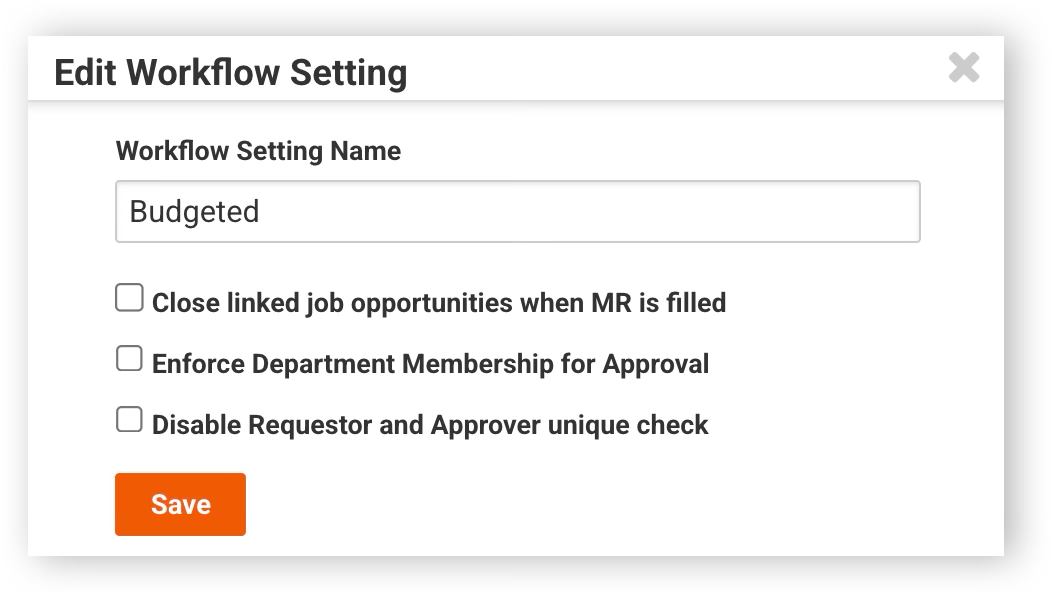
By default, a job will not automatically close if the Manpower Requisition is closed. You can configure the system to automatically close a Manpower Requisition once all its associated job slots have been filled. To enable this, simply click Edit on the related workflow and tick the "Close linked job opportunities when MR is filled" option then click Save.
• Enforce Department Membership for Approval
Set your manpower requisitions to be approved only by approvers within the same department where the requisition is raised. To enable this, simply click Edit on the related workflow and tick the "Enforce Department Membership for Approval" option then click Save.
• Same User as Requester and Approver (Single-Level Approver)
A requisition can be approved by the requestor, provided that the requisition is mapped to a workflow setting with only one level of approver. To enable this, simply click Edit on the related workflow and tick the "Disable Requester and Approver Unique Check" option then click Save.
Was this helpful?