Managing email and job templates
Permission level required: ✅ System Administrators, Entity Managers
Written By RecruiterPal Helpdesk
Last updated 3 months ago
Users with the required permission level can create and manage email and job templates to standardize recruitment communications and streamline the job creation process.
Creating an Email Template
Email templates help standardize email communications sent to candidates throughout the recruitment process.
Click on the building icon > Business Entity > Manage Settings.
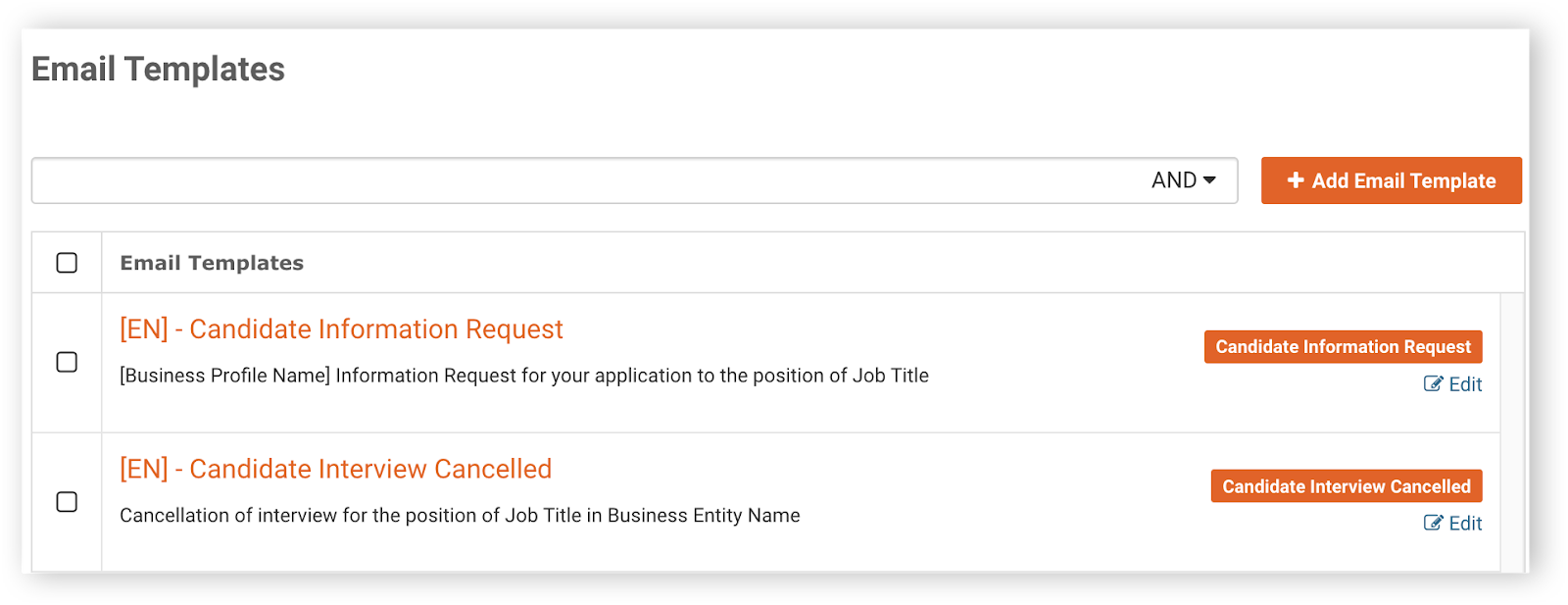
On the left-hand panel, click on Email Templates.
Click on Add Email Template to create a new template.
Create a name for the new template, and choose the type of template this email is intended for.
Make use of the placeholders available in the email template type to structure your email content or subject title.
Click Save when you are done.
Creating a Job Template
Job templates allow users to reuse predefined job information when creating new job opportunities.
Click on the building icon > Business Entity > Manage Settings.
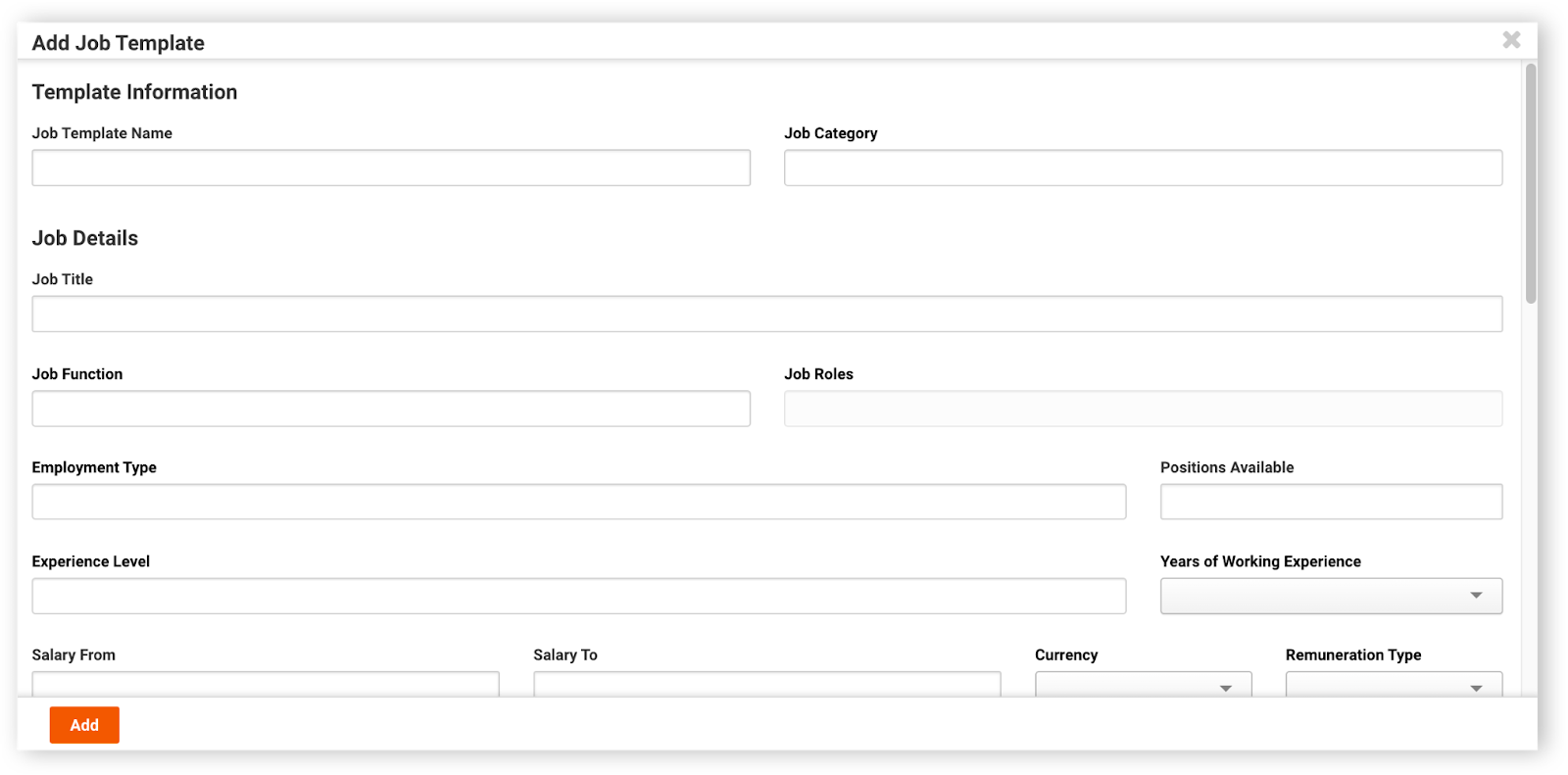
On the left-hand panel, click on Job Templates > Add Job Template to create a new template.
Fill up the job template details > Add.
Was this helpful?