Managing information request forms
Permission level required: ✅ Entity Managers
Written By RecruiterPal Helpdesk
Last updated 3 months ago
Users with the required permission level can create, update, and delete Information Request Forms. These forms can be used to request additional information or supporting documents from candidates during the recruitment process.
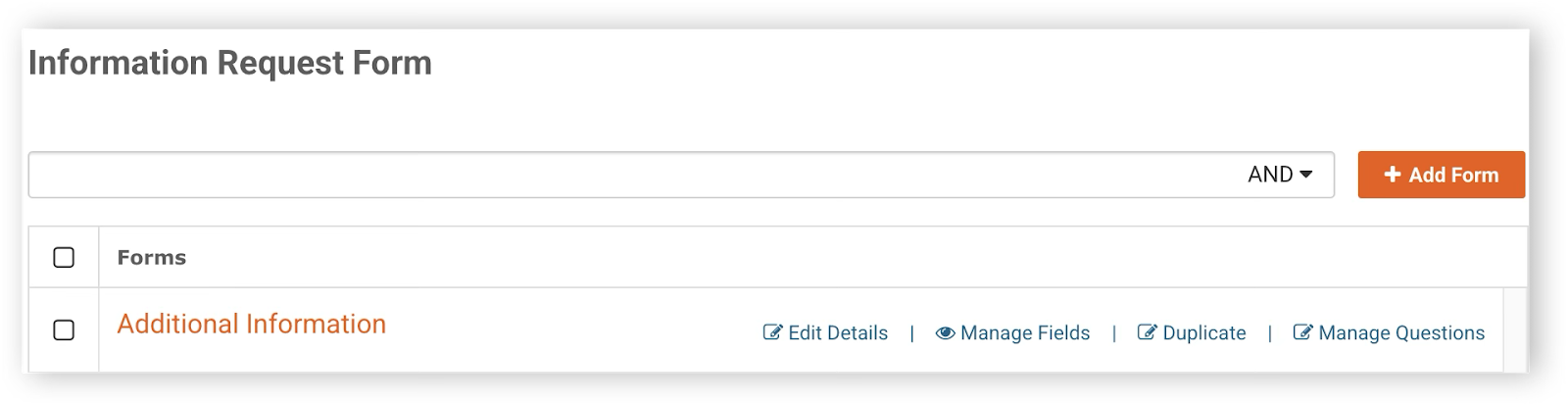
Adding an information request form
Click the building icon > Business Entity > Manage Settings.
Select Information Request Form > Add Form > fill up the details > click Add.
Editing an information request form
Click the building icon > Business Entity > Manage Settings.
Select Information Request Form > click Edit Details to modify the Form Name or Job Category > Save.
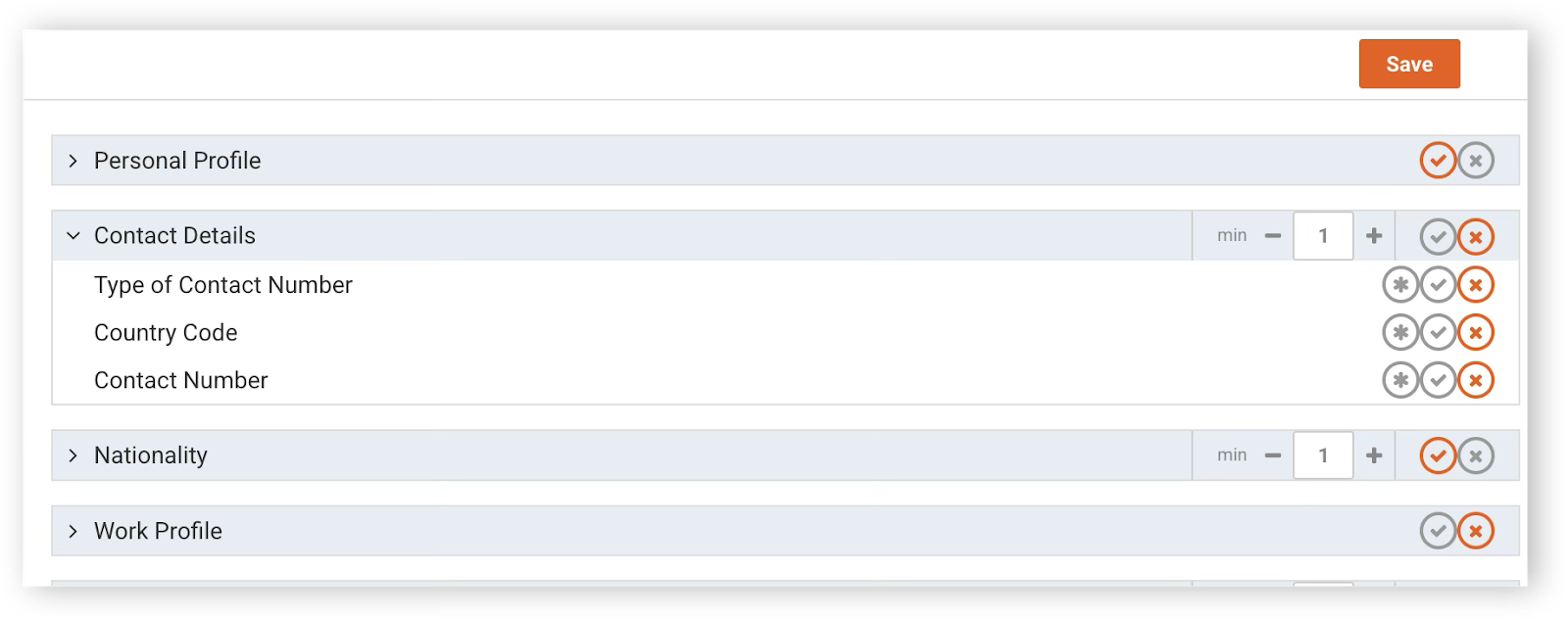
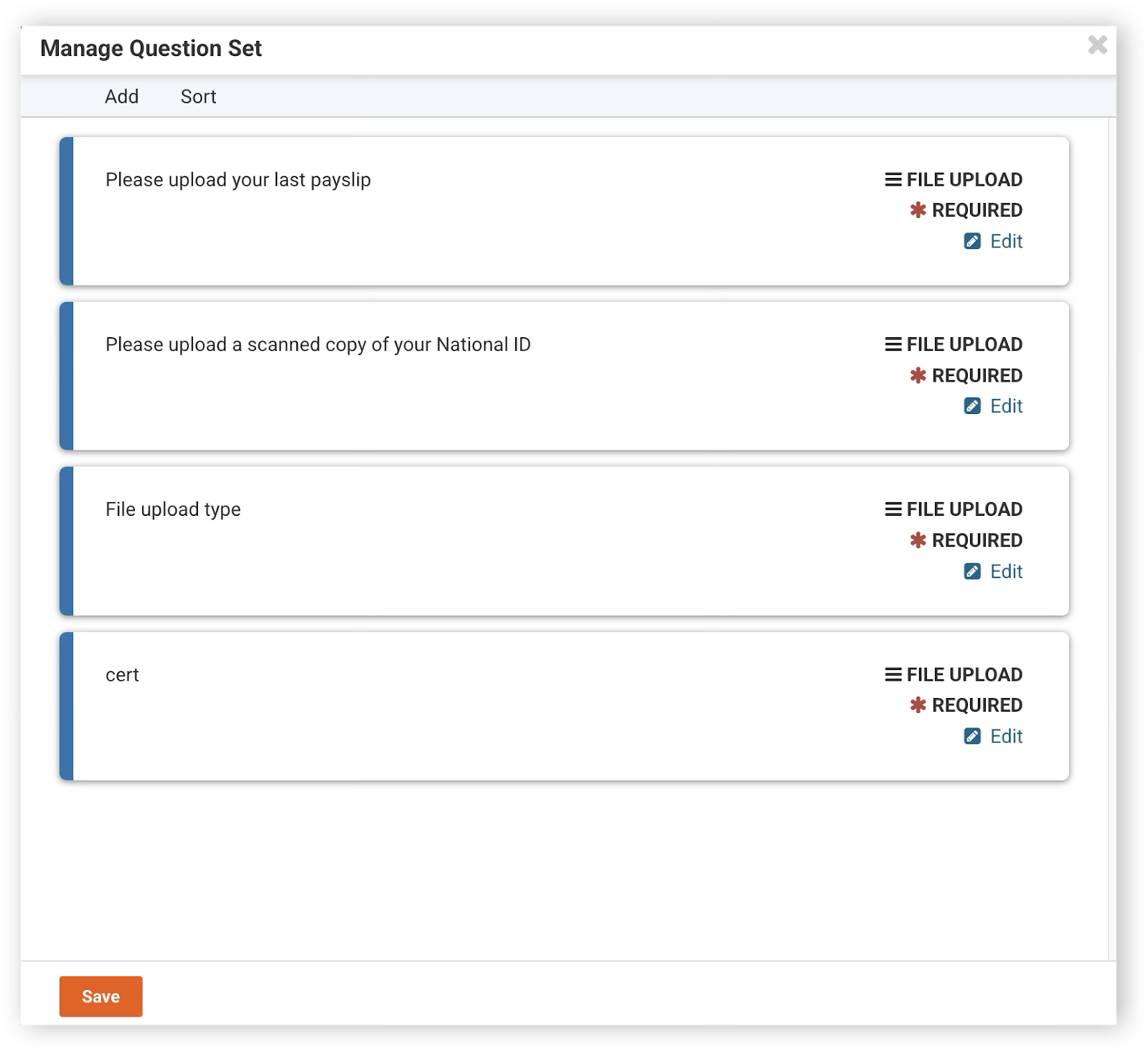
Click Manage Fields or Manage Questions to update the form fields or questions > click Save.
Deleting an information request form
Click the building icon > Business Entity > Manage Settings.
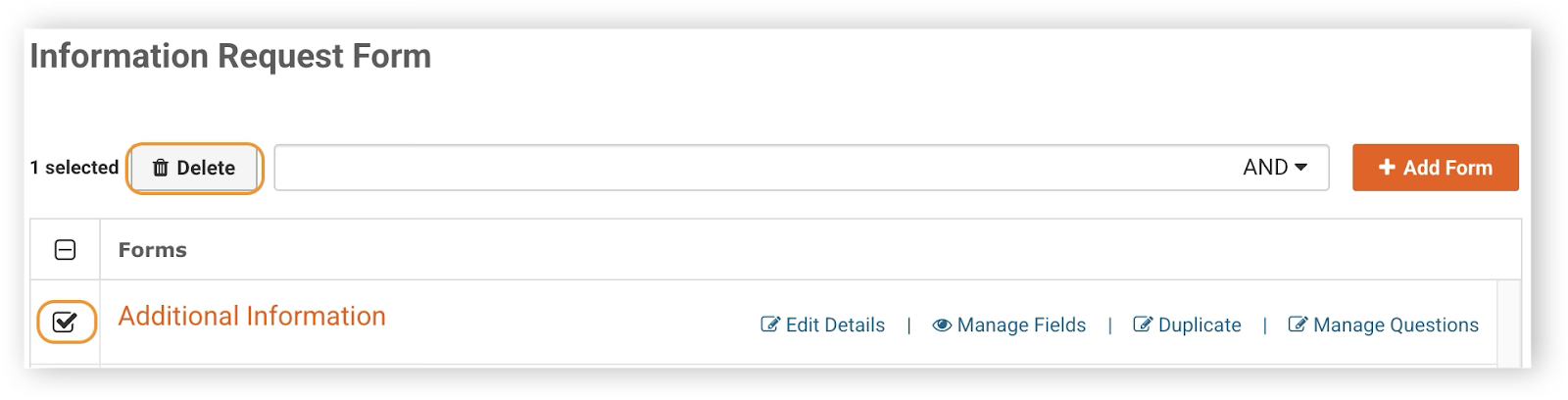
Select Information Request Form > tick the checkbox for the form to be deleted > click Delete > Yes, please.
Was this helpful?