Sending and reviewing information requests
Permission level required: ✅System Administrators, Entity Managers, Job Owner or Full Access
Written By RecruiterPal Helpdesk
Last updated 3 months ago
Users with the required permission level can send an Information Request to candidates to collect additional information or supporting documents. Submitted Information Requests can also be reviewed from the candidate's profile.
Sending an Information Request
Click Hire > Job Opportunities > View Candidates for the relevant job.
Click View for the relevant candidate > Actions on the right-hand panel > Send Information Request.
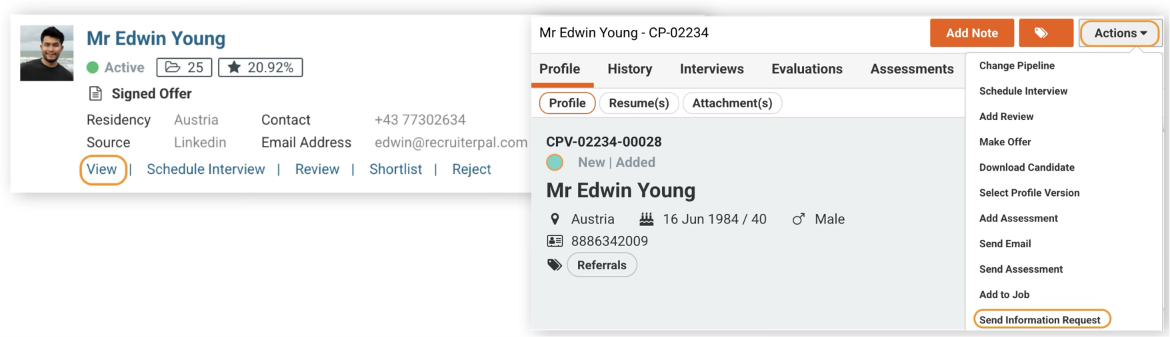
Complete the required details > click Request & Send Email.
Select the Sender email, Email Template Type and Template > click Preview to review the email > Send.
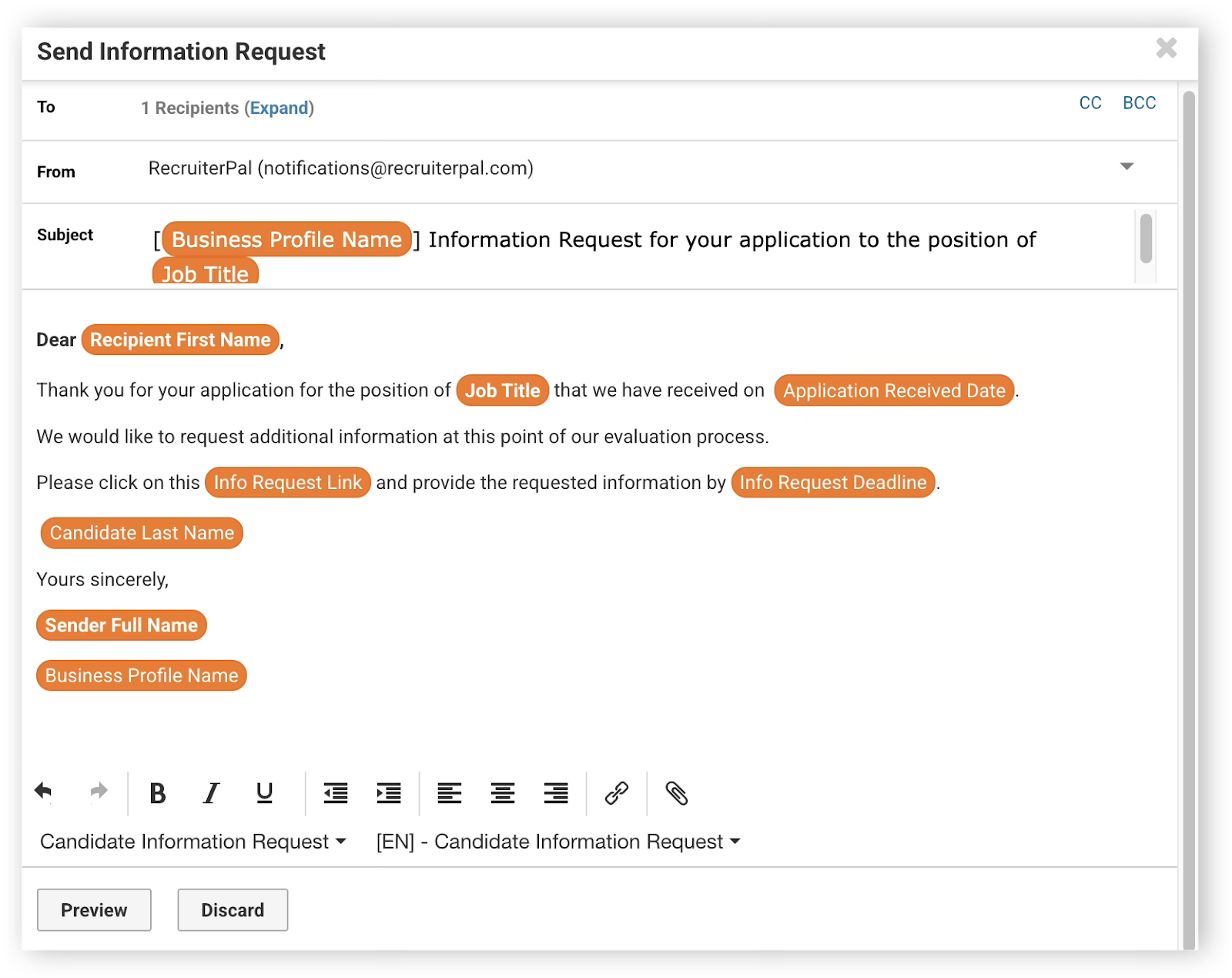
Reviewing an Information Request
Click Hire > Job Opportunities > View Candidates for the relevant job.
Click View for the relevant candidate > click Info Requests tab on the right-hand panel > View to review the Information Request
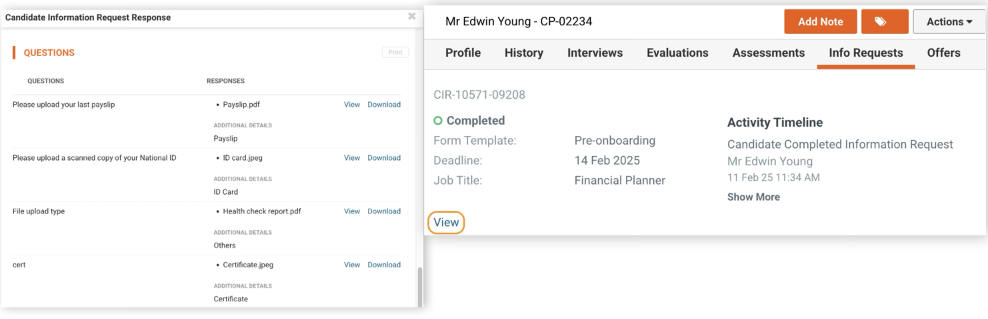
Was this helpful?