Extend a Job in Career Portal
Permission level required: ✅ Entity Manager or Job Owner
Written By RecruiterPal Helpdesk
Last updated 3 months ago
1. Click on Hire > Job Opportunities
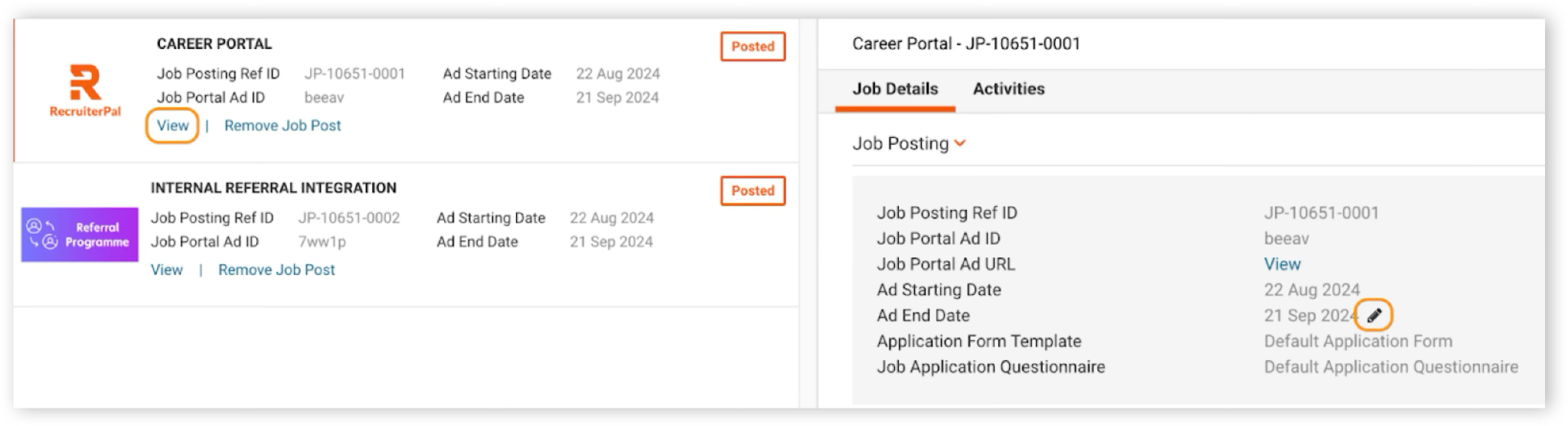
2. Click View Job Postings on the related job > View
3. Click on pencil icon on Ad End Date field > indicate the extend date > Save
Was this helpful?