Creating a Job
Permission level required: ✅ Entity User or above as the Recruiter in the workflow group
Written By RecruiterPal Helpdesk
Last updated 3 months ago
1. Click on the Hire > Manpower Requisition on the top menu bar
2. Click on the Open tab
3. Click Create Job on the related Manpower Requisition
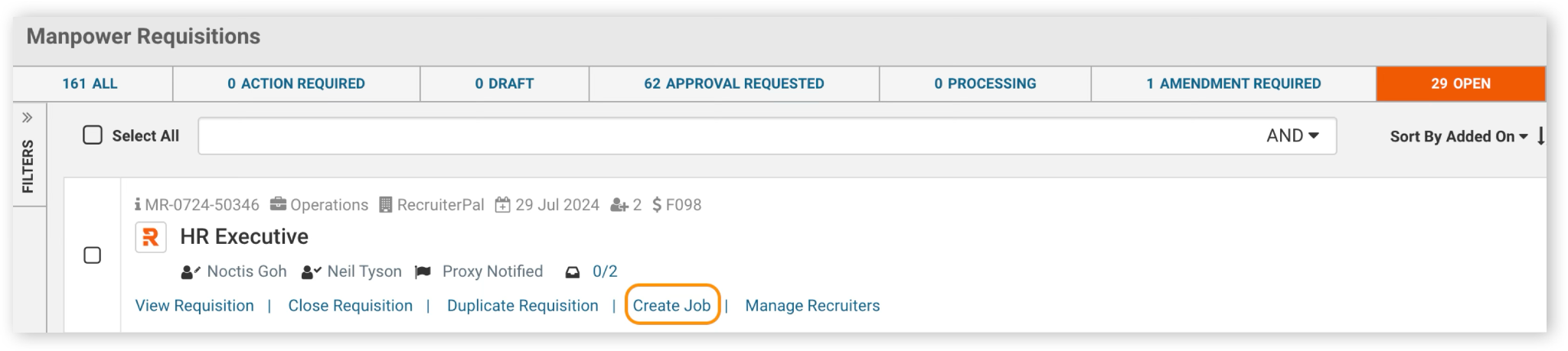
4. Select Employment Type and Job Category if there any changes and click Next to proceed
5. In the job creation wizard, follow through the information fields input
6. Fill up job details
7. Choose the relevant job portals to post your job to
8. Add users to your hiring team for the job
9. Review the job details before posting
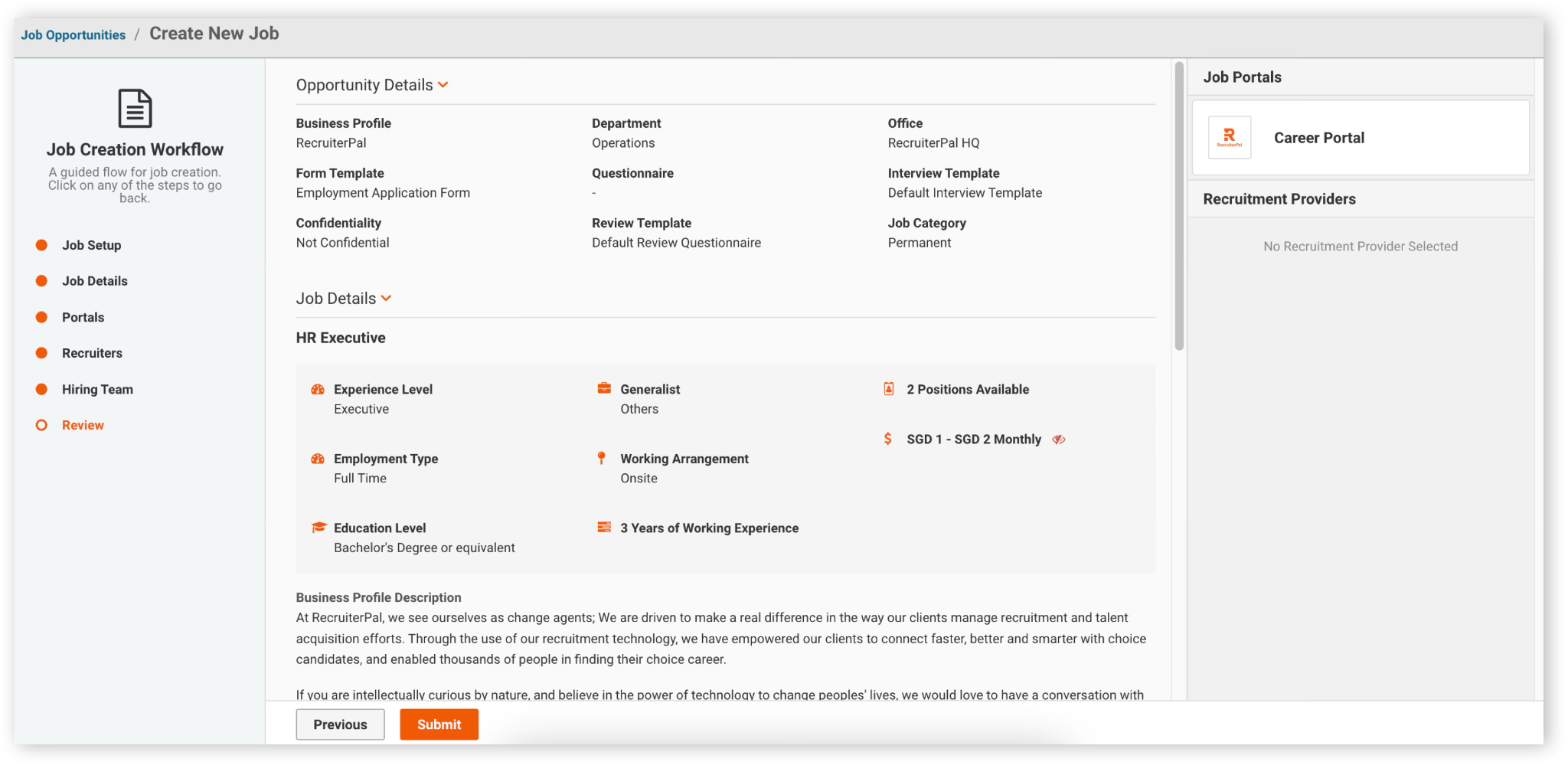
Congratulations! Your job has been successfully posted!
Was this helpful?