Viewing candidates
Permission level required: ✅ System Administrators and Entity Managers
Written By RecruiterPal Helpdesk
Last updated 3 months ago
• Viewing candidates in Jobs module
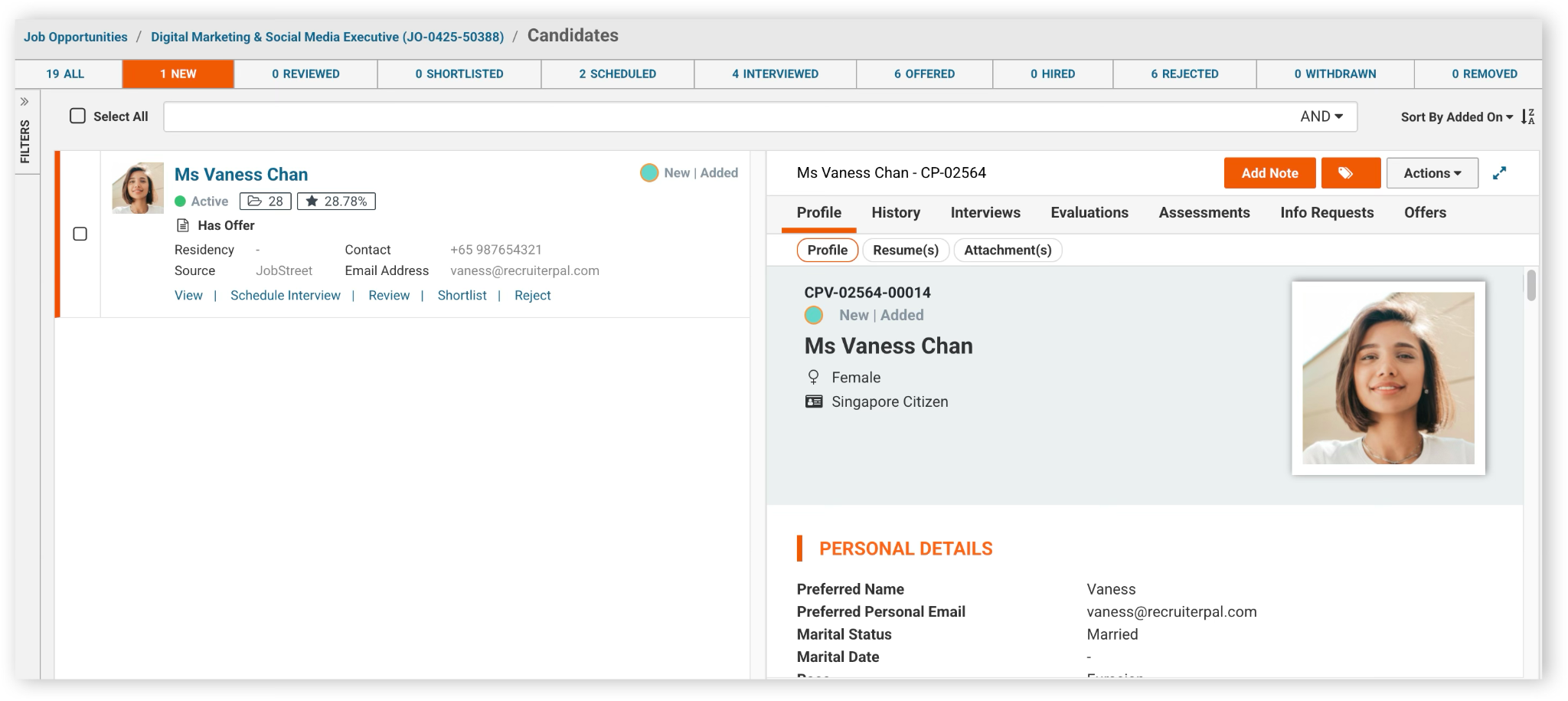
You can easily click on “View Candidates” to see all the candidates that have sent in their applications for this job opportunity.

The candidates’ profile will be reflected on the right side and you can toggle across the candidate list by clicking on either the Candidate’s Name or, by clicking “View”.
• Viewing candidates in Candidates module
You can also view all candidates by clicking on the Candidates module. Click Hire from the navigation menu, then select Talent Pool.
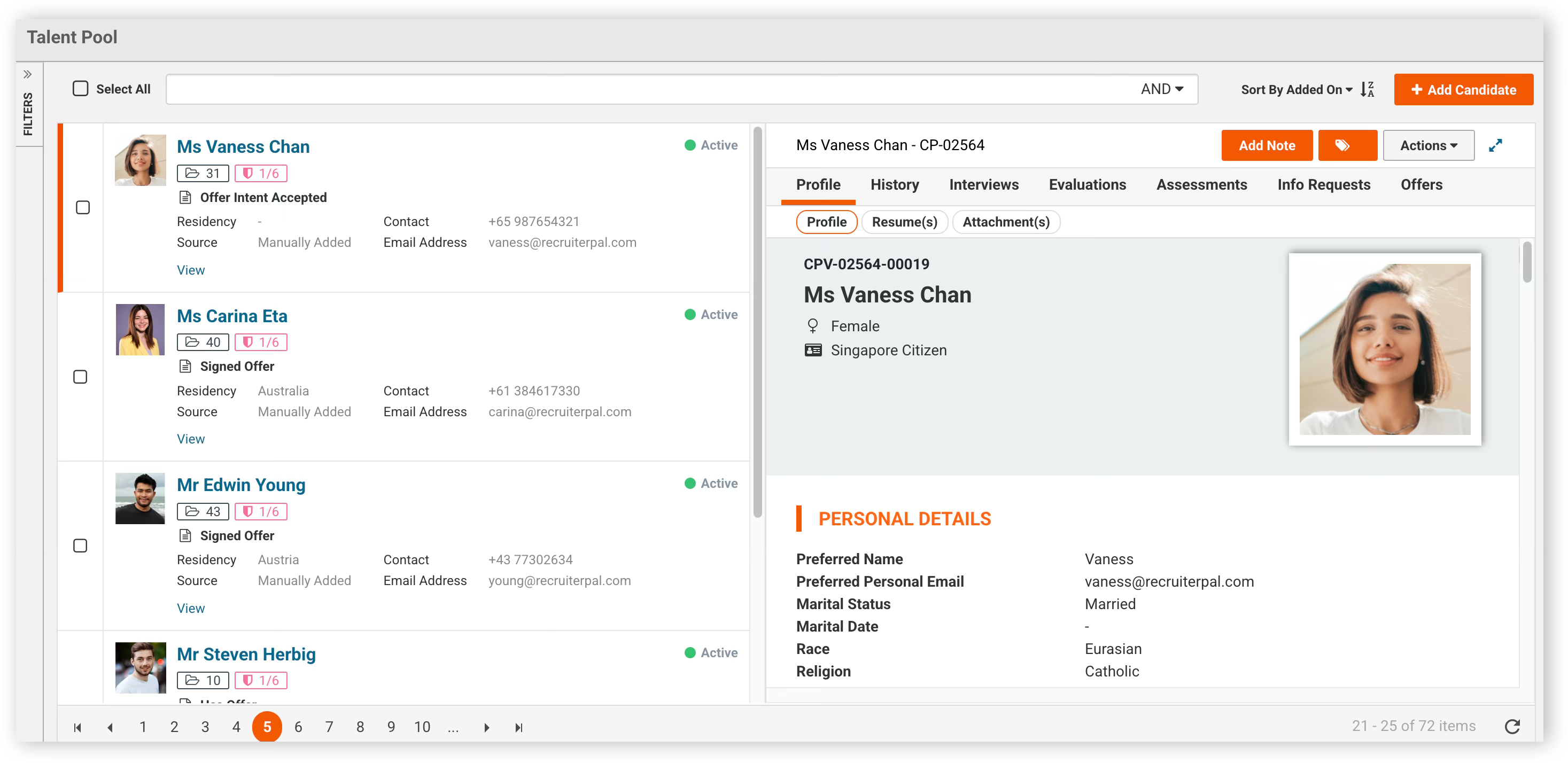
Entity Users are not able to access the candidates module, so as to safeguard the data privacy of the applicants by restricting the applicant data access to authorized personnel.
Was this helpful?